
Blue Mountain Ecards
AGCM, IncLifestyle
4.61.09K Reviews
- Version
- 1.3.0
- Installs
- 100.00K
- Age Rating
- Everyone
Screenshots
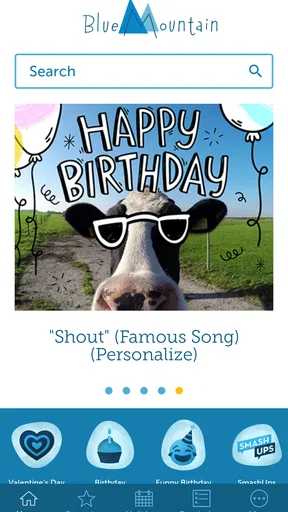
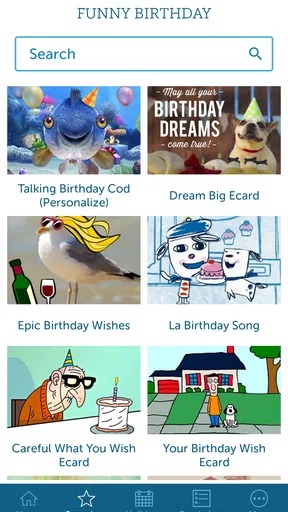
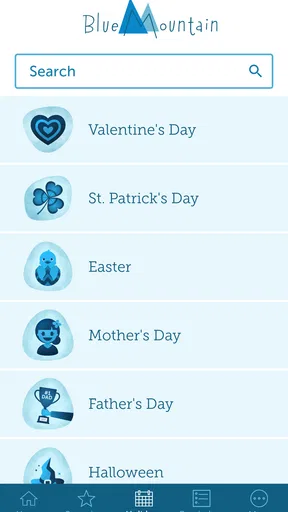
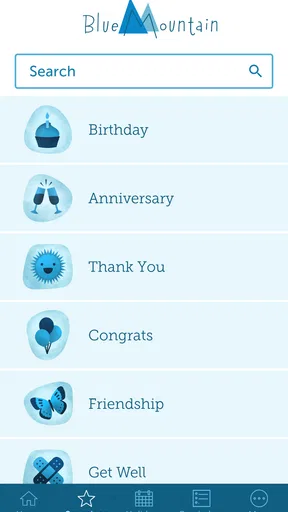
Our Review of Blue Mountain Ecards
 Analysis by Appyee
I like the idea behind Blue Mountain Ecards because it solves a small but surprisingly common problem: wanting to send something warmer than a text message without buying a physical card, finding an envelope, and remembering someone’s address. In my experience, this is the kind of lifestyle app that earns its place on a phone when an occasion appears suddenly and I need a polished greeting quickly.
Developed by AGCM, Inc, the app focuses on digital cards and greetings for birthdays, holidays, and other special moments. It is free to install, aimed at Everyone, and has built a solid audience with a 4.6 average from around 6,000 ratings and more than 100,000 installs. Those figures suggest that the concept is easy to understand, although they do not automatically guarantee that every card or every sending experience will suit every user.
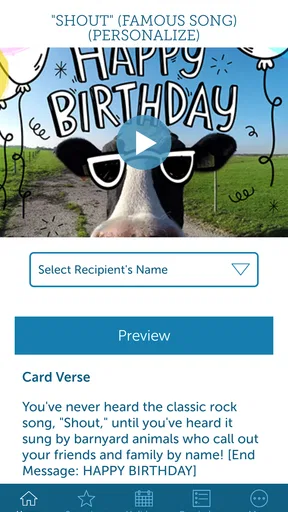
What matters most to me is whether the app feels practical at the exact moment I need it. A greeting-card app should not turn a simple message into a long design project. It should help me choose an appropriate style, add a personal touch, and send something that feels intentional. Blue Mountain Ecards generally makes sense for that use, particularly when convenience matters more than creating a completely original design.
How the app feels during ordinary use
I approach everyday use as a question of fit: does a ready-made card add enough warmth to justify opening a separate app? For birthdays and seasonal greetings, I think it can, especially when I decide on the tone before browsing. That simple choice helps me spend less time comparing designs and more time making the message sound like me.
Speed expectations before choosing a card
The app’s basic job is relatively focused, which is a good starting point for perceived speed. I do not expect a digital card service to behave like a demanding game or a video editor. The important moments are opening the app, browsing choices, selecting a design, writing a message, and reaching the sending stage without unnecessary confusion.
For a quick birthday greeting, I would approach it with a simple workflow: open the app, decide whether the occasion is personal or seasonal, scan the available designs, and stop as soon as one feels appropriate. That last part is important. Browsing can become slower in a practical sense when there are many attractive choices, because the real delay is often indecision rather than loading. I found that choosing a mood first—cheerful, affectionate, formal, or playful—helps keep the process under control.
The current version is 1.3.0, and the app supports devices running Android 9 or later. That makes the operating-system requirement fairly approachable for people using a phone that is not brand new. Still, a compatible operating system does not mean every device will feel equally quick. Older phones may take longer to display image-heavy card previews, particularly when storage is crowded or other apps are active.
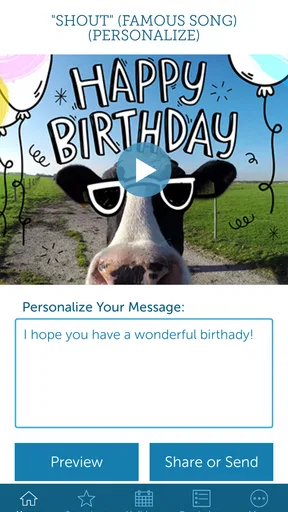
My practical advice is to prepare the wording before opening the app if the message is important. Having the recipient’s name and the main sentence ready reduces the time spent switching between apps or staring at an empty message field. It also makes the greeting feel more personal than sending the first generic line that comes to mind.
What happens during heavier browsing
The more demanding moment is not writing one short greeting; it is browsing repeatedly while comparing many card styles. Someone preparing several messages for different relatives, coworkers, or friends may spend much longer moving through categories and previews. That is where perceived responsiveness matters most, because every small pause is repeated across the session.
If I were using Blue Mountain Ecards for several occasions at once, I would work in batches. First, I would identify the recipients and occasions, then choose a card for each person, and only afterward write the messages. This avoids repeatedly restarting the same search and lowers the chance of sending a birthday design to someone who needed a thank-you note. It is a simple workflow change, but it makes the app feel more manageable during heavier use.
There is also a trade-off between visual variety and efficiency. A broad selection is useful when I want something that matches a particular relationship, but too much browsing can make the app feel less direct than sending a message through a familiar chat service. Blue Mountain Ecards is at its best when I want the card format itself to carry some of the emotional work. If I only need to say “happy birthday” in the fastest possible way, a messaging app will usually be quicker.
For a family event, I would use the app earlier in the day rather than waiting until the final minutes. That is not because the concept is complicated, but because digital greetings still involve decisions: selecting the right tone, checking the recipient details, and reading the message once before sending. The extra minute spent reviewing is worthwhile, especially when the card is going to someone I do not contact often.
Reliability and recovery when something interrupts the flow
A greeting app earns trust through small details. I want to know where I am in the process, whether my message is still present while I review the card, and what happens if I accidentally leave the screen. These are more important to me than decorative effects. A beautiful card is not useful if I have to reconstruct a carefully written message after an interruption.
My safest habit is to compose longer messages in a notes app first, especially for anniversaries, condolences, or a thank-you that needs the right wording. I then paste or retype the final version into the card. This is not as romantic as writing directly inside the design, but it protects the work if I receive a call, switch applications, or need to correct a detail before sending.
I would also check the recipient information slowly rather than treating the final step as automatic. A card can look perfect and still feel careless if it goes to the wrong person or contains an outdated detail. The app is designed around sending greetings, but responsibility for the final review remains with me. I consider that a normal limitation of digital card tools rather than a reason to avoid this one.
For important occasions, I would keep a second route available. If the app becomes inconvenient at the exact moment I need it, I can still send a personal message through email or a chat service. That backup is especially sensible when a greeting is time-sensitive. Blue Mountain Ecards works best as a thoughtful presentation layer, not as the only possible way to reach someone.
Device constraints and everyday resource use
Because this is a visual card app, the phone’s screen and general condition affect the experience. On a small display, detailed designs may be harder to judge before sending. On an older device, repeated previewing may be less comfortable than on a newer phone with more responsive scrolling. These are practical constraints worth considering if the recipient and occasion matter enough to justify careful selection.
I would avoid opening it during a moment when the phone is already struggling with many active apps. Closing unused applications, freeing a little storage, and using a stable connection are sensible preparation for any media-focused app. I am not treating those steps as special requirements from the developer; they are simply ways to reduce avoidable friction when browsing visual content.
The minimum operating-system requirement of Android 9 or later also gives a clear decision point. If a phone cannot run that version, this app is not an option on that device. For supported phones, the question becomes less about raw compatibility and more about comfort: how quickly previews appear, how easily text can be entered, and whether the screen makes the designs pleasant to inspect.
Resource demands matter differently here than they would in a game. I am not expecting sustained processor-heavy activity, but a long browsing session can still be inconvenient on a phone with limited battery or a small screen. If I am preparing many greetings, I prefer doing it while the phone is charged and when I am not rushing. That makes the app feel like a calm creative task rather than another notification to clear.
Personalization versus the usual alternatives
Blue Mountain Ecards sits between a traditional paper card and a plain digital message. A physical card usually feels more tangible, but it requires shopping, handwriting, and delivery time. A text message is immediate and flexible, but it can look routine. This app is appealing when I want a ready-made visual presentation without the logistics of paper.
Compared with social-media greetings, a dedicated card app can feel more private and deliberate. I can choose a message for one person instead of posting something publicly or relying on a platform feed. Compared with email, the card format gives the greeting a clearer sense of occasion. On the other hand, chat apps are better when the conversation needs a reply, a photo exchange, or a quick back-and-forth.
The biggest trade-off is originality. A designed card can look polished immediately, but it will not express a very specific shared memory as naturally as a homemade image or a handwritten note. My solution is to use the design as the frame and make the message do the personal work. Mentioning a real event, a small private joke, or a concrete wish makes the result feel less like a template.
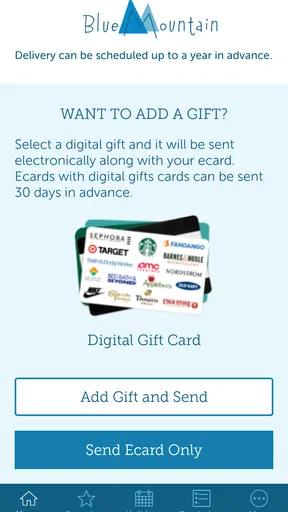
There is also a cost consideration. The app is free to use at its base level, while in-app purchases range from $6.99 to $35.99 per item. I would therefore explore the free experience first and decide whether the available choices already meet my needs before paying for anything. If I send cards only occasionally, a purchase may not be worthwhile; if I regularly need a more distinctive selection, the added expense could be easier to justify.
Who will appreciate it most
I think this app is a good fit for people who regularly remember birthdays and holidays but do not want to visit a store for each occasion. It is also useful for relatives who prefer a visual greeting over a short text, and for anyone who wants a more polished message without learning a design program. The Everyone age rating makes the intended audience broad, though adults should still guide younger users when purchases are involved.
It can be particularly helpful for people who live far from family. A digital greeting cannot replace a visit, but it creates a small, intentional moment without waiting for physical delivery. I could see myself using it for a friend’s birthday when I am traveling, for a holiday message to several relatives, or for a thank-you after receiving help. The key is to add enough personal wording that the card feels chosen rather than automatic.
I would skip it if my priority were instant conversation, highly customized artwork, or a physical keepsake. Someone who enjoys drawing their own cards may find ready-made designs limiting. Likewise, a person who already has a dependable email or messaging routine may not gain much from adding another app unless the card presentation genuinely matters to them.
A realistic scenario for using it well
Imagine realizing in the morning that a former coworker’s birthday is that day. I would open the app, look for a design that matches the friendly but not overly intimate relationship, and write a message that refers to something specific we worked on together. Before sending, I would check the name, reread the wording, and confirm that the tone is not too casual. The whole value is that the visual card helps me make the gesture feel more deliberate than a last-second text.
For a larger group, I would not send identical wording to everyone. I would choose a consistent seasonal style if appropriate, but change at least one sentence for each recipient. That approach uses the app’s convenience without making the greetings feel mass-produced. It also reduces the risk of accidentally sending a message containing the wrong name or a detail meant for somebody else.
My performance verdict
In performance terms, I see Blue Mountain Ecards as a focused, moderate-demand lifestyle app rather than a tool that should be judged by gaming-level speed. Its most important test is whether it helps me move from “I should send something” to a finished, personal greeting without making the process feel like work. Supported devices running Android 9 or later should be the starting point, while older or crowded phones may make visual browsing less comfortable.
The app’s strongest quality is convenience with a little more emotional weight than a plain message. Its main weaknesses are the time required to browse when I am indecisive, the limits of predesigned formats, and the possibility that paid items may not make sense for occasional users. Those are meaningful trade-offs, not deal-breakers, as long as I choose it for the right job.
After using it as a practical greeting tool, I would recommend it to a friend who wants quick digital cards that still look intentional. I would suggest preparing important text beforehand, checking the recipient carefully, and trying the free options before considering an in-app purchase. My honest recommendation is to use Blue Mountain Ecards when presentation matters more than conversation, but choose a messaging app when speed and ongoing dialogue matter most.
With its free entry point, broad Everyone rating, and established user interest, it is easy to try without committing to a complicated setup. The developer, AGCM, Inc, has kept the concept focused on a familiar need: sending a greeting for a meaningful occasion. For me, that focus is the reason to keep it available—not for every message, but for the moments when a little visual thoughtfulness makes a simple digital gesture feel more memorable.
Verdict
Strengths of Blue Mountain Ecards
- Wide selection of scenic mountain-themed cards for different occasions.
- Simple interface makes browsing and choosing a card quick.
- Cards can add a personal touch to messages and greetings.
- Suitable for nature lovers and outdoor enthusiasts.
- Useful for sending thoughtful greetings from a mobile device.
Limitations of Blue Mountain Ecards
- The mountain theme may feel too specific for some recipients.
- Some cards may look dated compared with modern animated designs.
- Personalization options could be limited on certain cards.
- An internet connection may be needed to browse or send cards.
- The app may offer fewer features than full-featured greeting platforms.
Similar Picks in This Category
View All
SmartThings
Samsung Electronics Co., Ltd.4.6

Google Home
Google LLC4.0

Pinterest4.2

Astrotalk - Talk to Astrologer
Astrology & Horoscope4.7

My Verizon
Verizon Consumer Group4.5

Samsung Wallet (Samsung Pay)
Samsung Electronics Co., Ltd.4.1
Frequently Asked Questions
What is Blue Mountain Ecards?
Blue Mountain Ecards is a digital greeting-card service that lets you send animated and traditional electronic cards for occasions such as birthdays, anniversaries, holidays, thank-you messages, and celebrations. After exploring the service, I found that it focuses on making card creation quick and convenient, with themed designs, written messages, and delivery options intended for sharing through email or other supported channels.
Is Blue Mountain Ecards free to use?
Blue Mountain Ecards may offer a selection of free cards, but many designs, features, and premium options can require a paid membership or subscription. Before downloading or signing up, check the current pricing, trial conditions, renewal terms, and cancellation policy shown in the app or on its official website. Availability and prices may also vary by country, platform, and promotional offer.
Can I personalize cards before sending them?
Yes, personalization is one of the main reasons to use Blue Mountain Ecards. Depending on the card selected, you can usually add a recipient’s name, write a personal message, choose or edit a greeting, and provide delivery details. Some designs may support additional customization, while others have fixed animations or layouts, so the available editing tools can differ from card to card.
How are Blue Mountain Ecards delivered?
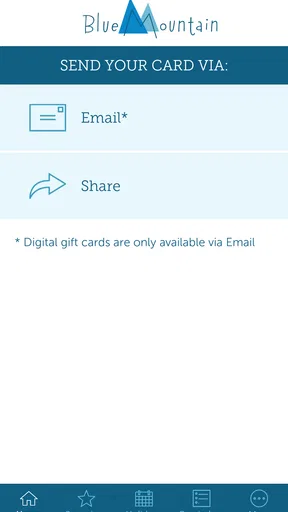
Cards are generally delivered electronically using the recipient information you provide, most commonly an email address and a selected delivery date. You should carefully confirm the address and scheduling details before sending, because an incorrect email or an outdated delivery setting may prevent the card from reaching its intended recipient. Delivery can also depend on internet access and the service’s availability.
Is Blue Mountain Ecards safe and worth downloading?
Blue Mountain Ecards is worth considering if you regularly send digital greetings and prefer ready-made designs over creating cards from scratch. As with any app involving accounts, contact information, or subscriptions, review its privacy policy and requested permissions before registering. I also recommend downloading it only from an official app store and checking recent user reviews for current performance, billing, and support experiences.
